
Home / Payment → Accounting / AltaPay → Uniconta
AltaPay to Uniconta
Every AltaPay payout as lines in a journal in Uniconta — sales, refunds and fees day by day. 2app never posts; you do.
About this app
2app reads every payout from AltaPay and puts it as lines in a journal in Uniconta: sales, refunds and AltaPay's fees on the day they happened, and the payout itself on the day the money reached the bank — through a clearing account that returns to zero. 2app does not post the lines.
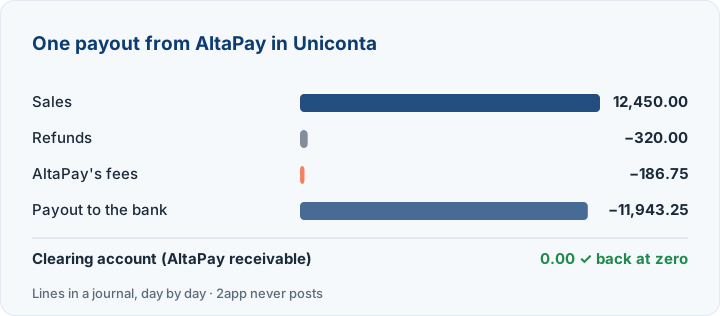
What gets posted?
- Sales and refunds
- AltaPay's fees
- The payout to the bank
- Accounts and VAT codes from your own Uniconta setup
How it works
Create a Uniconta user for 2app, log in with it and choose the company. Connect AltaPay with an API user for AltaPay's Merchant API that may only fetch funding files, and choose the journal and accounts. Every payout is fetched automatically; you review and post the journal in Uniconta.
Uniconta in 2app is new (beta): the 2app team follows your first payouts with you.
Questions about AltaPay to Uniconta
How long does setup take?
Most are running the same day: log in with e-conomic, connect, and see the first entries before anything is sent. If you get stuck, we help — directly in your setup too, if you give us support access.
Is my data safe?
2app only gets read access to your webshop or payment provider. The keys are stored encrypted and never shown again, and you can delete them at the provider at any time to cut 2app off.
Can I cancel?
No lock-in. Stop after the trial if it is not a fit.
Self-service or assisted?
Self-service: each step in the dashboard shows where to find what it needs. If you would rather have help, call or write — we can set the app up with you.